
What's included
- Warning on duplicate serial numbers
- Filters by type, status, customer, technician and tags
- Bulk actions: status, assignment, tags
- Ticket history per device – kept even after the device is retired
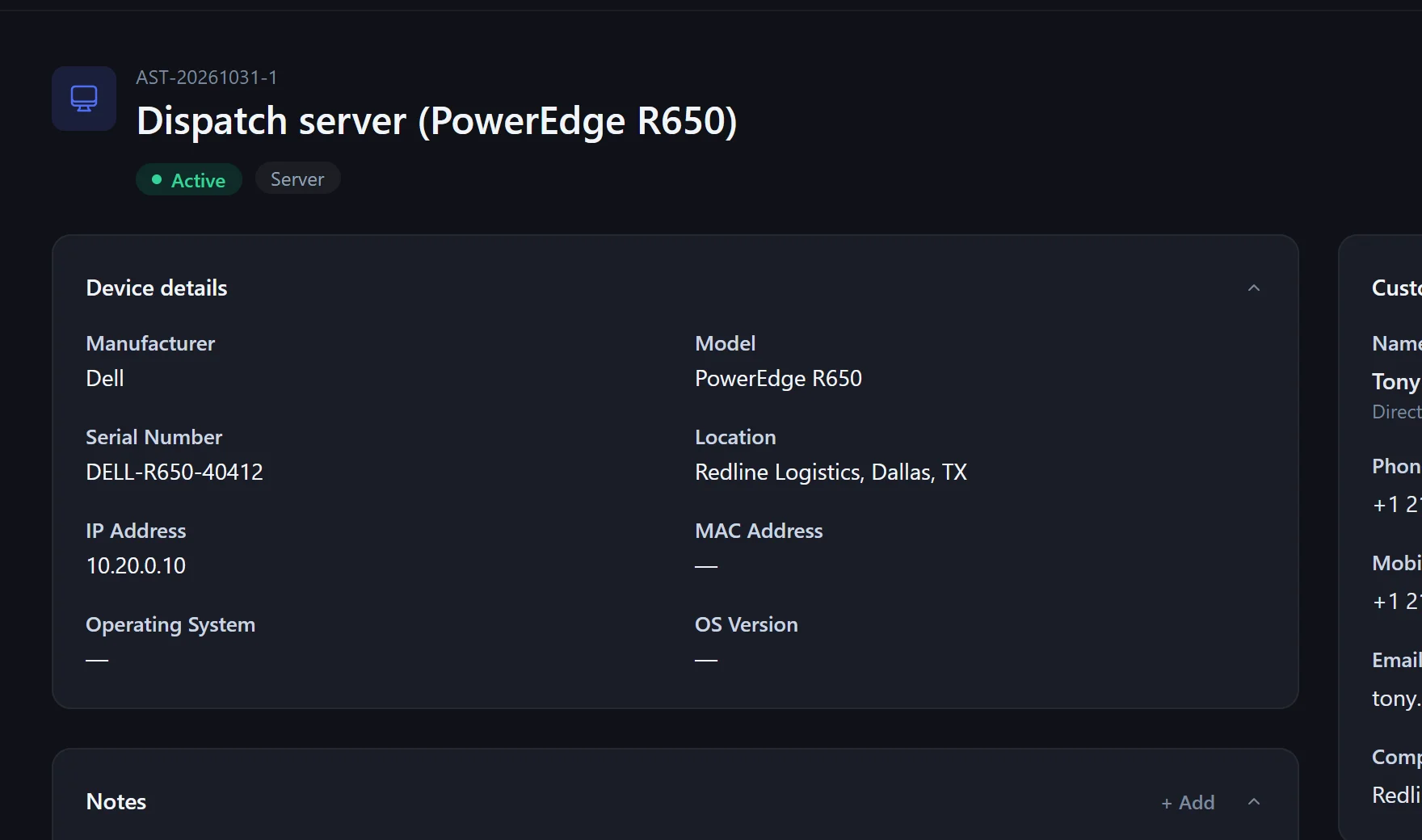
Which server is where, when does the warranty end, when is the next service due? In Xendor it is all in one place – and right on the ticket.
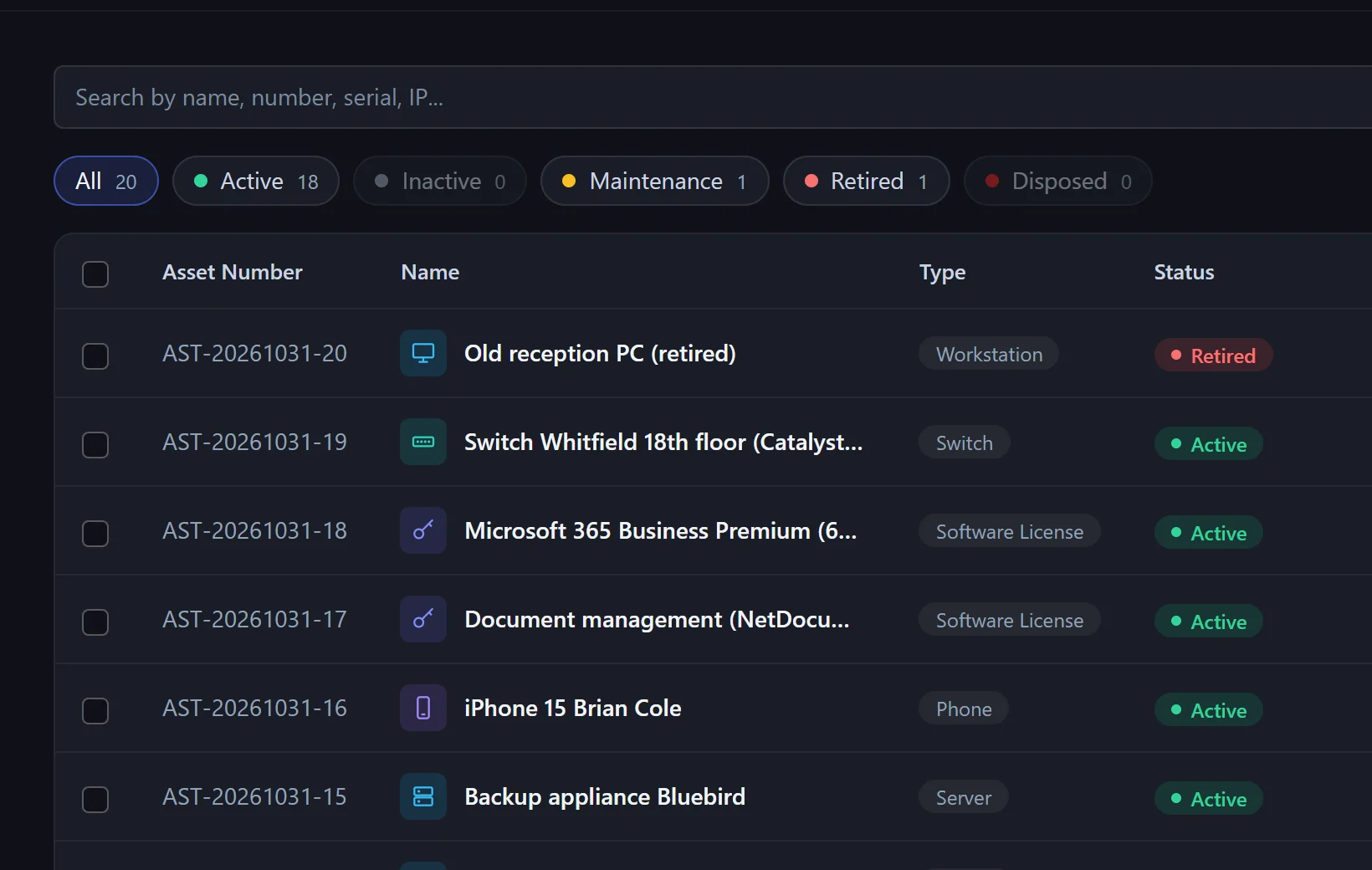
Name, type, manufacturer, model, serial number, IP address, location, purchase date and warranty.
Every asset belongs to a customer. Tickets, contracts and monitoring alerts are connected to the right device.
The dashboard warns about warranties ending within 30 days and services due within 7 days.
Yes. When a service catalog order is marked as delivered, Xendor creates the delivered devices as assets.
Yes. The host in the alert is matched by IP address, name or asset number; the ticket gets the device and its customer.
They are marked as disposed – their ticket history stays complete.
In the pilot program: personal onboarding, then $25 (US) or €25 (EU, plus VAT) per agent per month, guaranteed for 24 months.