Xendor
Made & hosted in Germany Privacy-first AI Now in beta

The service desk that gives IT providers their time back.

Tickets, SLAs, email, knowledge base, assets and contracts in one place – and an AI that suggests replies without ever seeing real customer data.

  • Servers in Germany
  • English & German
  • Nothing to install – runs in the browser
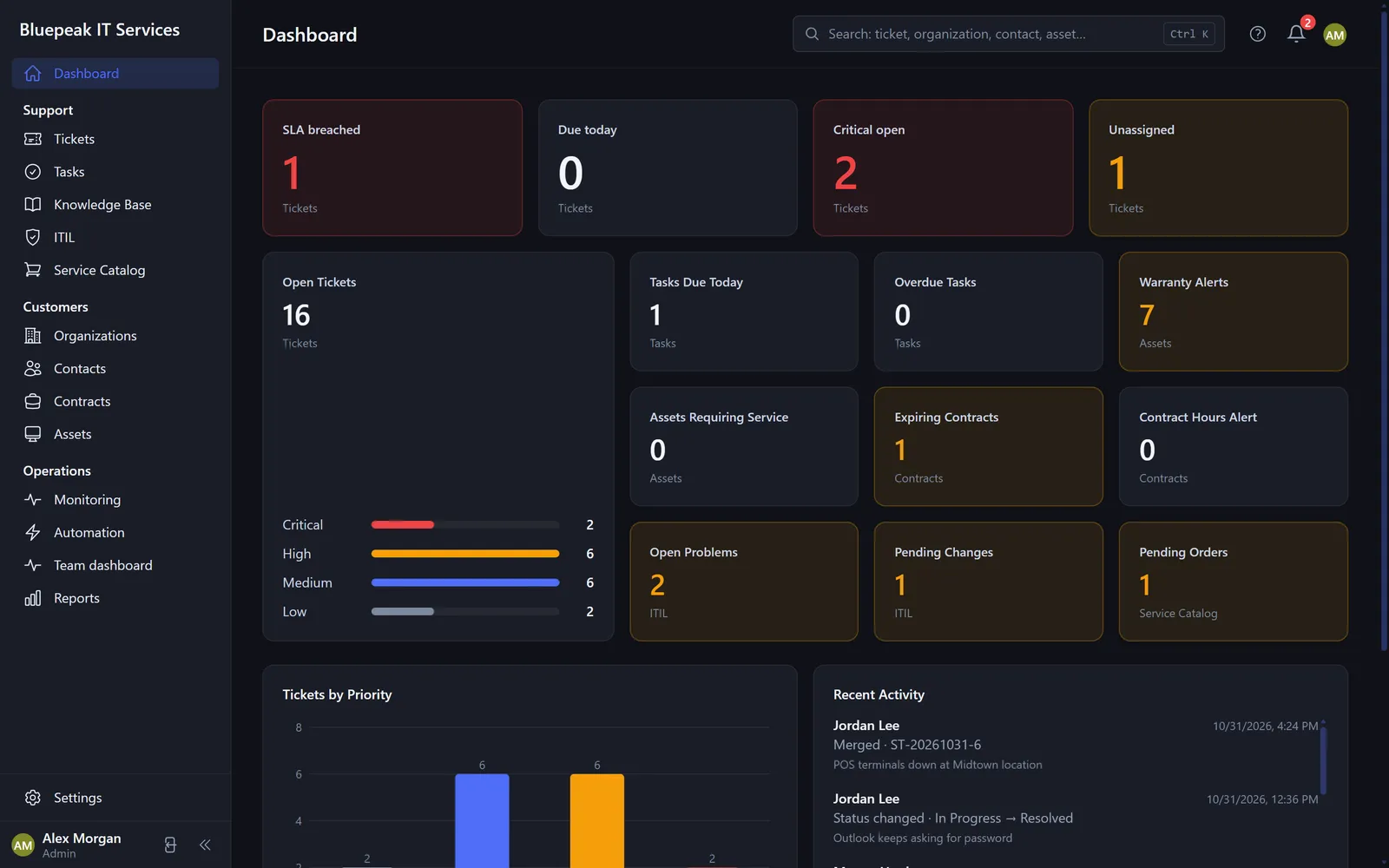
Xendor dashboard with open tickets, SLA alerts and tickets by priority (demo data)
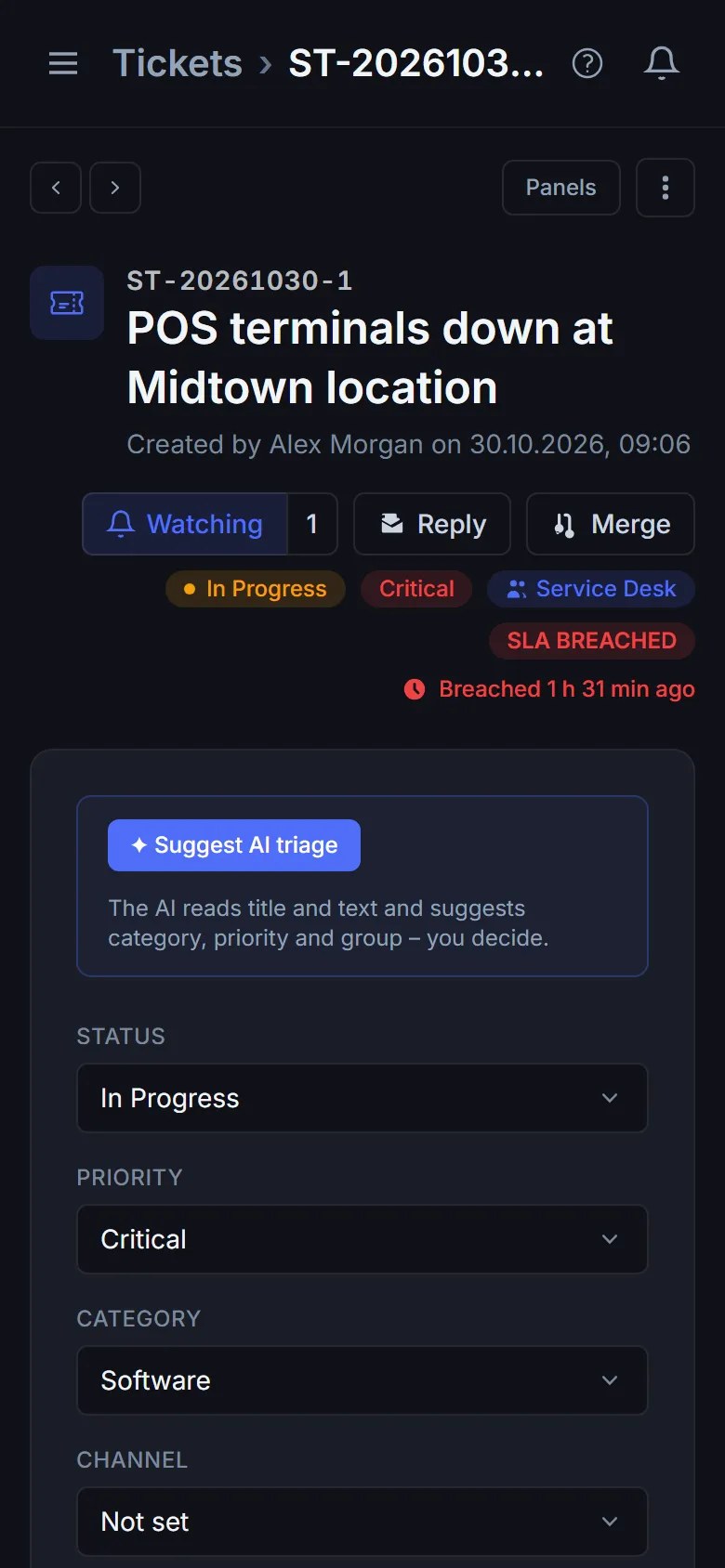
Xendor on a phone: ticket view (demo data)
NurembergData centre in Germany, daily backups
0 real namessent to the AI – customer data is masked
EN · DEApp, help and emails in both languages
1 placefor tickets, knowledge, assets, contracts and reports
Features

Everything your support team needs every day

Built for small and mid-sized IT service providers – clear, fast and bilingual from day one.

Tickets & SLAs

Every request in view – with deadlines that watch themselves

Emails to your support mailbox become tickets automatically. Priorities, SLA levels per contract, business hours and holidays are built in – Xendor warns you before a deadline is missed.

  • Confirmation to the customer with ticket number and response time
  • Your own views, columns, filters and bulk actions
  • Sub-tickets, merging, tasks and time tracking
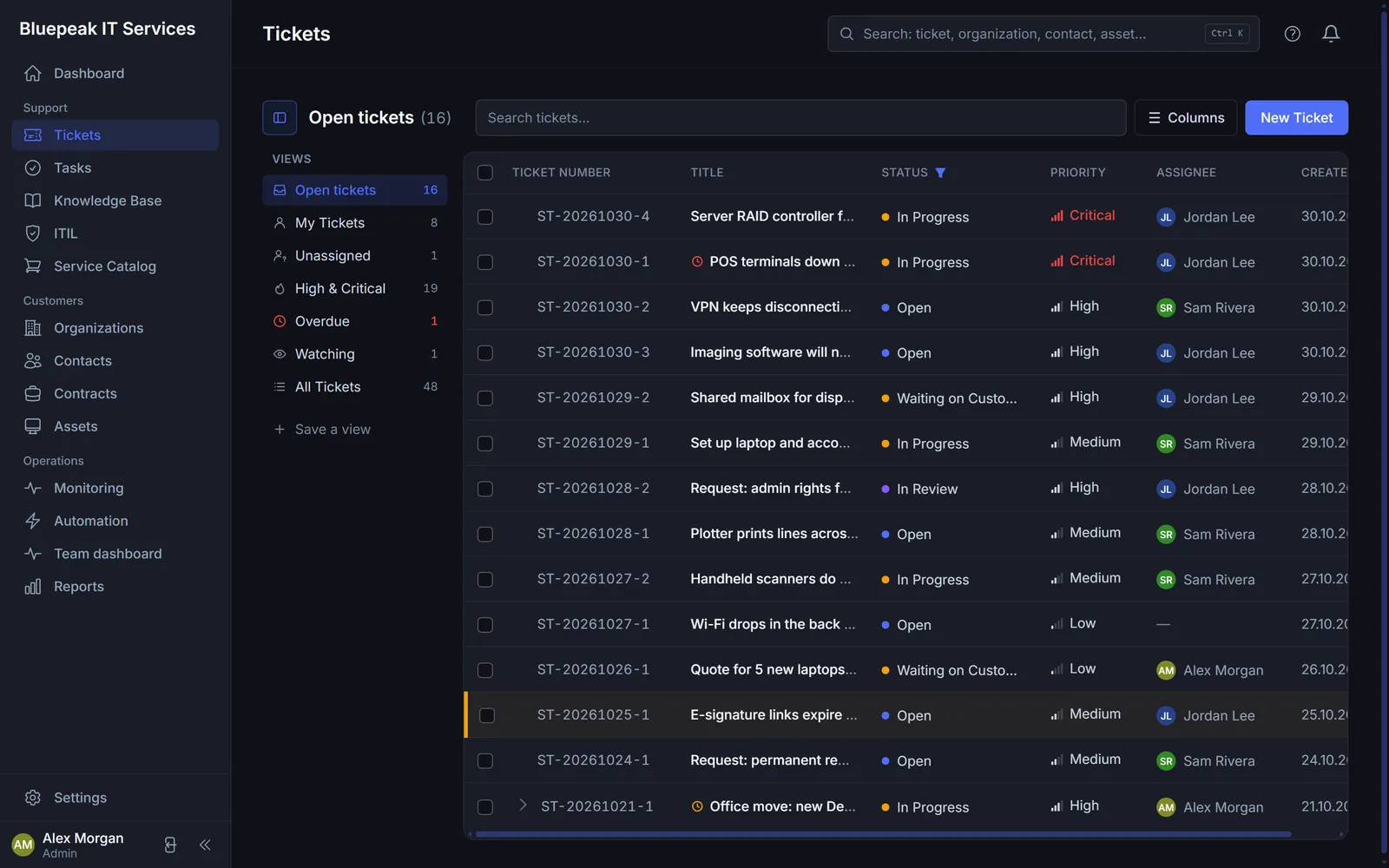
Ticket list with status, priority, assignee and SLA (demo data)
Xendor AI

Reply suggestions in seconds – you keep the final say

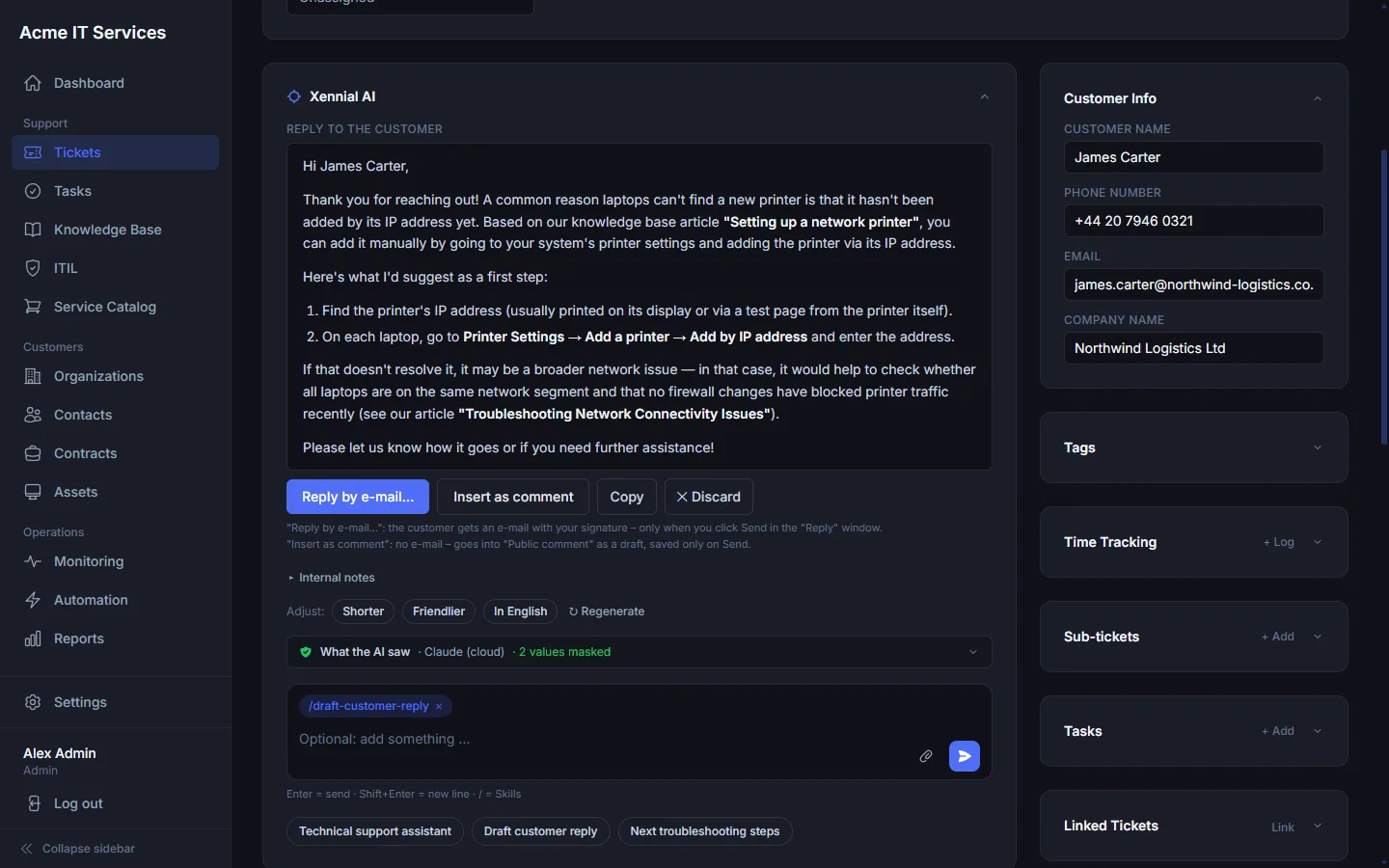
The AI summarises tickets, suggests replies, category and priority, and helps with troubleshooting. You review and send – the AI never writes to customers on its own.

  • Shorter, friendlier or in another language – in one click
  • Skills for recurring jobs, e.g. troubleshooting
  • “What the AI saw” shows exactly what was sent
Ticket view with Xendor AI suggesting a reply to the customer (demo data)
Knowledge base

Solve it once, use it again and again

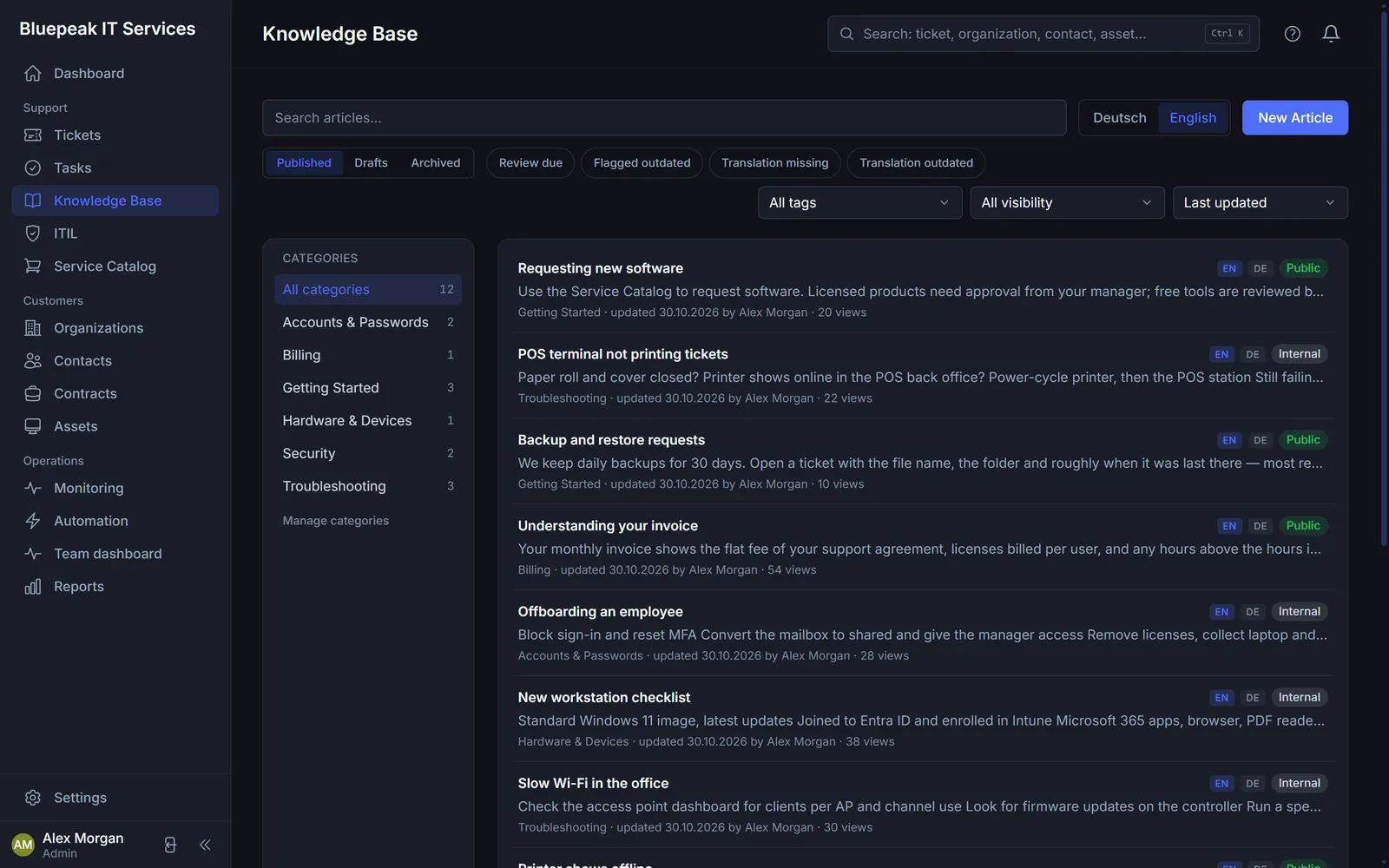
Internal guides for your team and public articles for your customers – in English and German. Xendor suggests matching articles right in the confirmation email.

  • Categories, drafts, review dates and translation status
  • Turn a ticket solution into an article
  • Views and use in tickets at a glance
Knowledge base with categories and articles in English and German (demo data)
Reports & team dashboard

Numbers that show where things get stuck

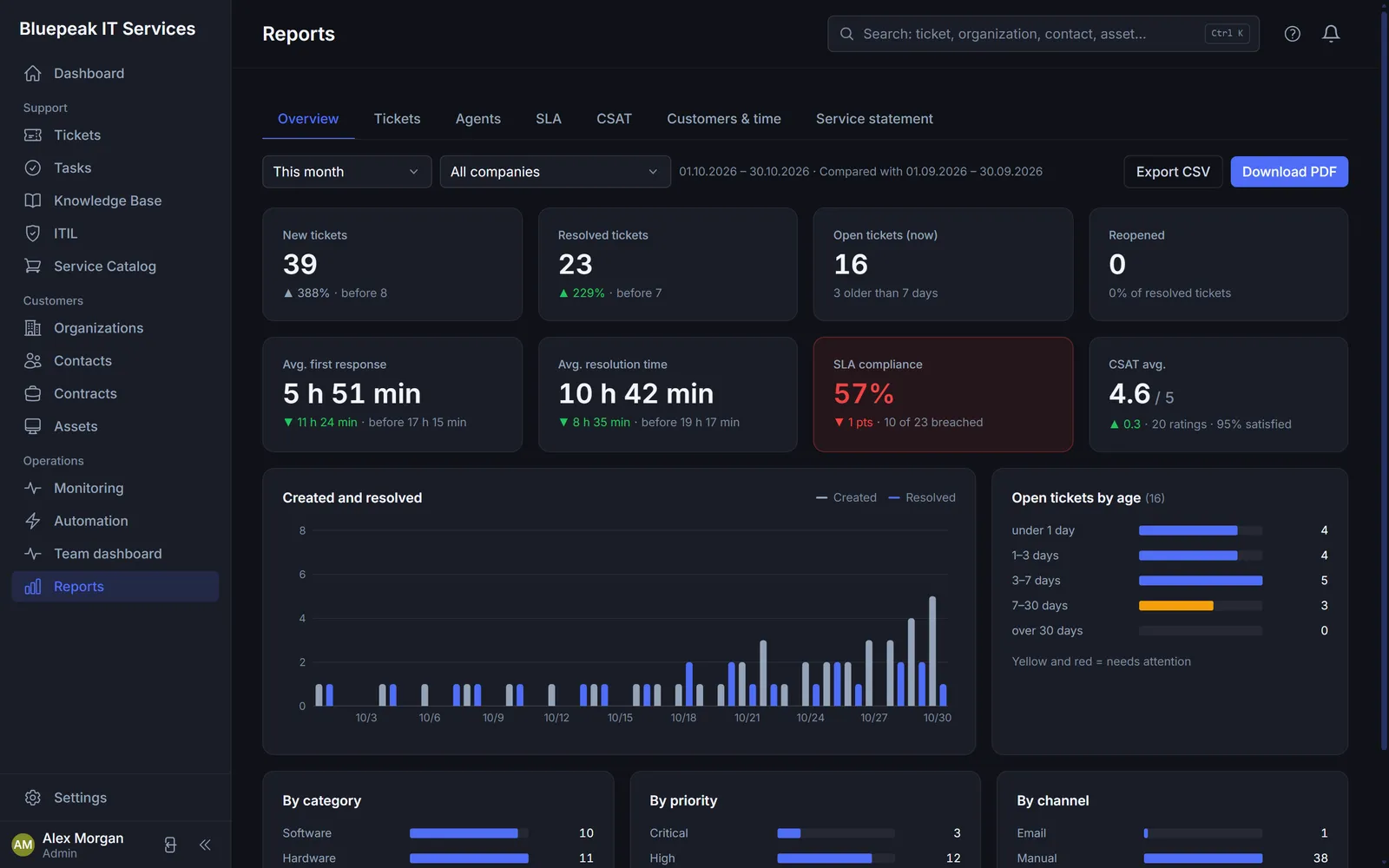
SLA compliance, response and resolution times, workload and customer satisfaction – compared with the previous month, as PDF or CSV. The team dashboard shows live what is due now.

  • Service statement per customer with tracked time
  • Breakdown by company, agent, category and channel
  • Customer satisfaction (CSAT) after every resolved ticket
Reports with SLA compliance, resolution times and customer satisfaction (demo data)
Security & privacy

Use AI without giving away customer data

Before any text goes to the AI, Xendor replaces names, companies, email addresses, IPs and server names with placeholders. The answer comes back – and the real data is only put back in on your side.

Servers in GermanyData centre in Nuremberg, HTTPS, daily backups.

Local AI tooUse a model on your own server instead of a cloud AI.

Full transparencyFor every AI answer you see what was sent.

Audit log & 2FAEvery change logged, sign-in with a second factor.

In the ticket
Hi, this is Megan Hughes from Copper Kettle Restaurant Group. The printer PRN-MT-02 (192.168.10.24) stopped printing. Please reply to megan.hughes@copperkettle.example.
Masked before sending
What the AI sees
Hi, this is [PERSON_1] from [COMPANY_1]. The printer [HOST_1] ([IP_1]) stopped printing. Please reply to [EMAIL_1].
Light or dark

Easy on the eyes for long support days

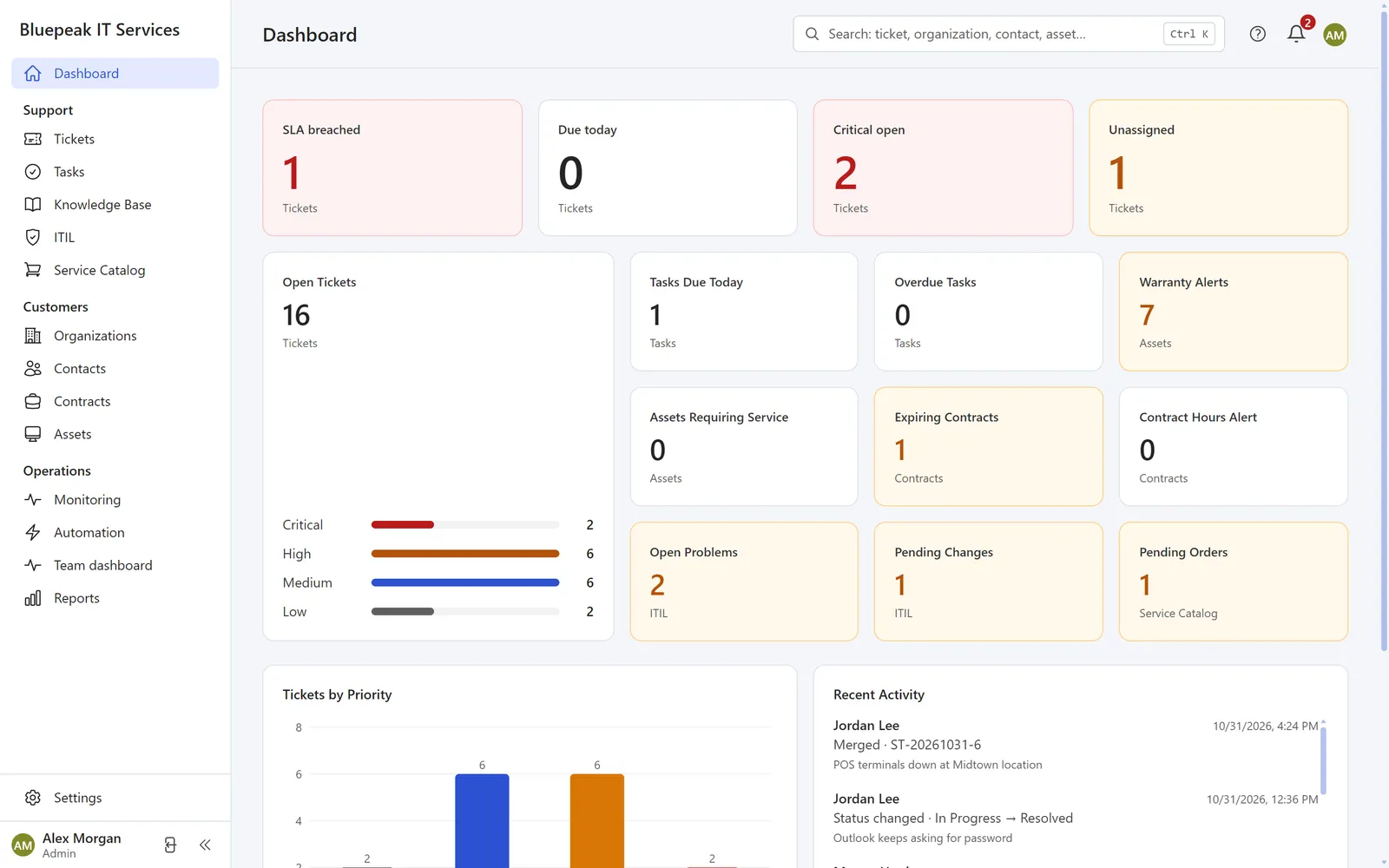
Everyone on the team picks their theme – light, dark or like the operating system. Works well on a phone, too.

Dashboard in the light theme (demo data)
Light
Dashboard in the dark theme (demo data)
Dark
Getting started

Your own service desk in three steps

No server, nothing to install – all you need is a browser.

Request a demo

Drop us a line and we set up a demo account with sample data for you.

Try it out

Test tickets, AI and reports with your team – the guided tour walks you through a real example in two minutes.

Go live

Connect your support mailbox, invite your team, add your customers – done.

FAQ

Frequently asked questions

Where is my data stored?

On a server in a data centre in Nuremberg, Germany. Connections are encrypted (HTTPS) and backups run daily.

Does the AI see my customers’ data?

No. Names, companies, email addresses, IP addresses and server names are replaced with placeholders before sending. For every answer you can check exactly what was sent. If you prefer, connect a model on your own server instead of a cloud AI.

Do I need to install anything?

No. Xendor runs in the browser – on your computer and on your phone.

How do emails get into Xendor?

You connect your support mailbox. New emails become tickets, and customer replies land in the right ticket automatically.

Is Xendor available in German too?

Yes. Every user picks English or German; help, customer emails and knowledge articles are available in both languages.

What does Xendor cost?

Nothing for 90 days for pilot customers, then $25 (US) or €25 (EU, plus VAT) per agent per month, guaranteed for 24 months. Details in the pilot program.

Can I try Xendor first?

Yes. Request a demo – you get your own account with sample data and can test everything at your own pace.

Pilot program

Become a pilot customer

We are looking for a few IT service providers in the US and Europe to use Xendor in their daily work for 90 days – and tell us honestly what's missing.

90 days free

The full product for up to 10 agents, no credit card – the pilot simply ends after 90 days.

Personal onboarding

A kick-off call, import of your customers and contacts, and help connecting your support mailbox.

Founding price

Afterwards $25 (US) or €25 (EU, plus VAT) per agent per month, guaranteed for 24 months – no obligation to continue.

In return: a short feedback call every two weeks (20 minutes) and 5 questions once a month.

Try Xendor with your team

We show you Xendor with your own workflows – no obligation, in about 30 minutes.