
What's included
- Large view: when, who, note, automatic/manual, contract, duration
- Warning when the quota is used up
- Service statement per customer as PDF or CSV
- Options: only on own tickets, billable yes/no
Technicians forget to log their time – and billable hours get lost. Xendor tracks time on the ticket, automatically if you want.
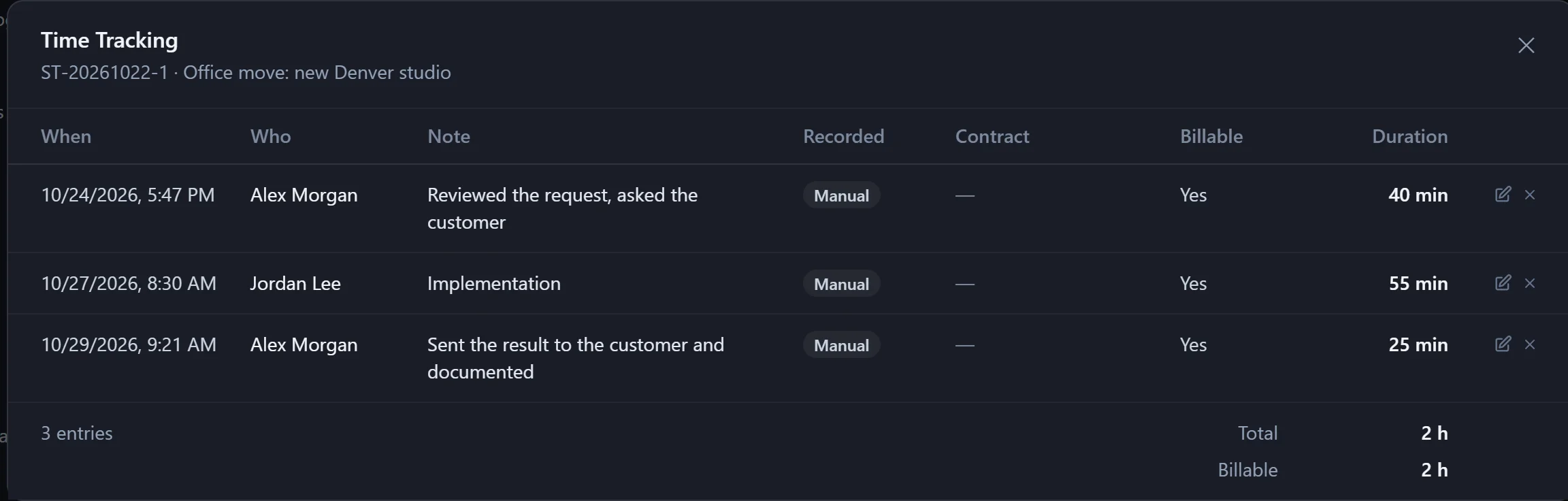
While a technician actively works on their ticket, a stopwatch runs. Every full minute is logged – pause with one click.
Hours, minutes, note and contract – with a required note if you like.
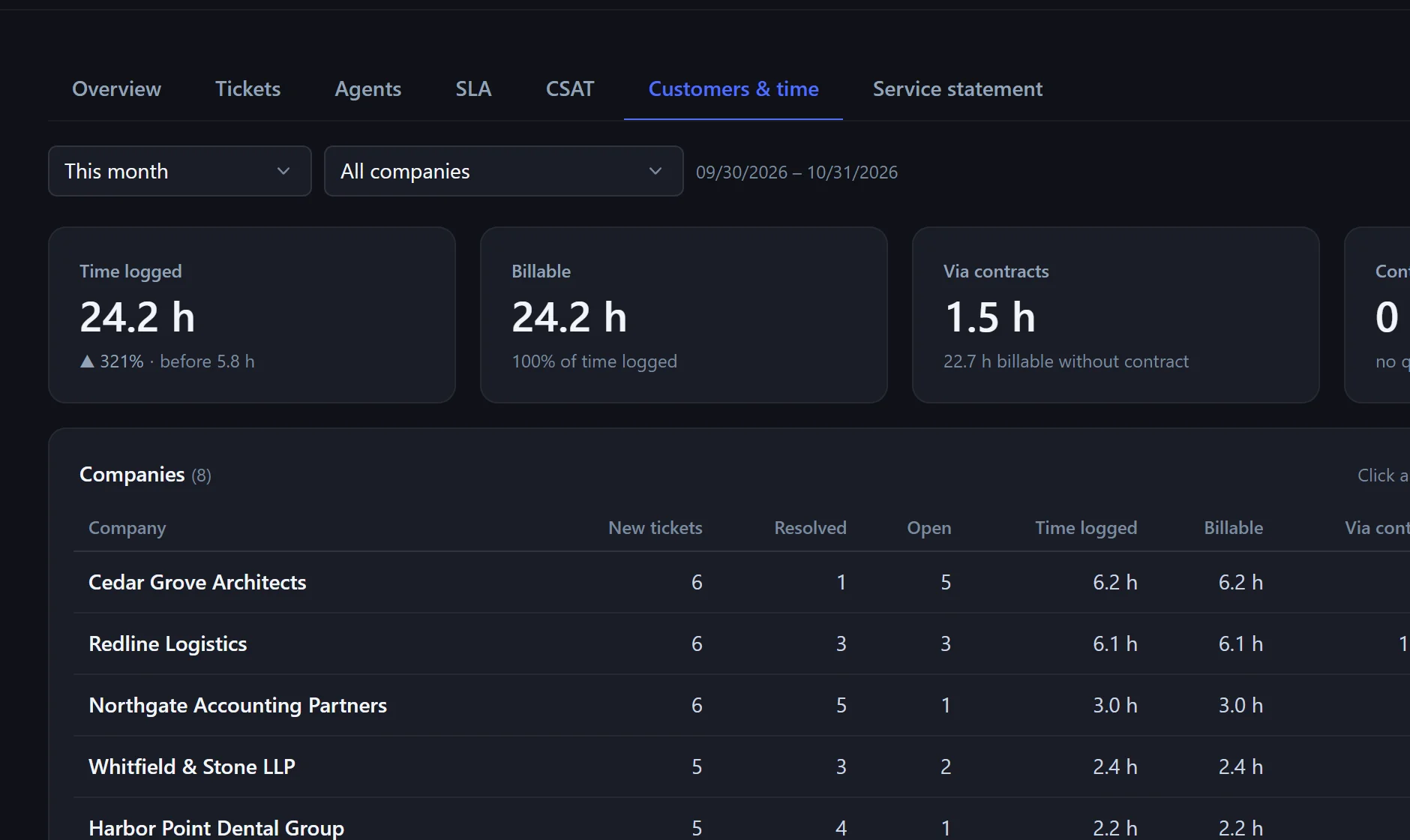
Time counts against the customer's contract. Reports show logged and billable time per customer and month.
It only counts active time: window visible and activity in the last 5 minutes – and it can be paused.
Yes, you can edit or delete your own entries (admins: all).
Reports → Service statement: all billable hours per customer and month as PDF or CSV.
In the pilot program: personal onboarding, then $25 (US) or €25 (EU, plus VAT) per agent per month, guaranteed for 24 months.